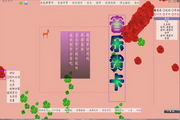
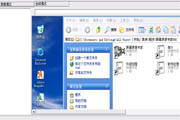
Photo Screensaver Maker是一款数码相册屏保制作软件,你可以用它来制作带照片、音乐和文本的屏保。支持的图片格式:jpg,gif,bmp,png,tif,tga,pcx。支持的音频格式:mp3,midi和wav。可以为图片添加标题,并设置各种转场过渡效果。可以输出标准的windows屏保和安装版屏保。
Photo Screensaver Maker is a tool to help you make your own slide-show screensavers with photos, music and text captures. You can add any pictures (.jpg,.gif,.bmp,.png,.tif,.tga or .pcx ) and import audio files(.mp3,.midi or .wav) as background music to your creation. You can also add caption for each picture and select various transition effects for your screensaver. Then make a windows standard screensaver(.scr) or self installing screensaver(.exe).Additional customization features include the option to preview screensaver at any time, choose background colors, set the slide-transition time,turn sound on or off etc as you like.

下载地址分享软件/应用 若有违法违规、资源包错误等问题向我们反馈!
使用WindSoul软件管家下载地址:安全,快速
电信安全下载网通安全下载移动安全下载联通安全下载
其他下载地址:
通用网络下载通用网络下载
部分文件为zip、rar等压缩格式,请下载360压缩进行压缩!常见问题
雷电模拟器怎么新建一个模拟器?-雷电模拟器新建一个模拟器的方法雷电模拟器怎么导入游戏?-雷电模拟器导入游戏的方法剪映下载怎么不在桌面显示?-剪映下载在桌面显示教程剪映电脑版怎么给字体加粗-剪映电脑版给字体加粗的方法雷电模拟器怎么设置内存大小?-雷电模拟器设置内存大小的方法雷电模拟器怎么多开?-雷电模拟器多开的方法剪映怎么加字幕?-剪映加字幕教程剪映电脑版怎么导出txt字幕文件-导出txt字幕文件的方法剪映电脑版怎么让主轨视频静音-剪映电脑版让主轨视频静音的方法edge浏览器怎么开启无痕浏览?-edge浏览器开启无痕浏览的方法网友评论
您的评论需要经过审核才能显示
全部评论 华军网友Photo Screensaver Maker很好用,谢谢啦!!
有用
华军网友Photo Screensaver Maker软件非常好用,下载速度很快,很方便!有用
华军网友Photo Screensaver Maker超级棒!点一亿个赞!!!有用